
InfraMap
emma's live picture of your infrastructure — a Topology view with network, compute, and security lenses, plus a Geo map.
InfraMap — the diagram in the left nav — is emma's live picture of your infrastructure. It's built from your real resources across every connected cloud, and it stays in sync as you make changes through the copilot: deploy a VM in chat, and it appears on the canvas. Think of it as the map half of the console, the counterpart to the conversation.
In a nutshell:
- It reflects your real resources, not a hand-drawn diagram
- emma infers the connections between them for you
- It has two views — Topology (the graph, with network / compute / security lenses) and Geo (a geographic map)
- It stays in sync with what you do in chat
Built from your real infrastructure
You don't draw the diagram; emma builds it. It reads the resources in your connected accounts and infers how they relate — which resources sit in which network, what a security group exposes, what's mounted where — so the connections you see reflect how your infrastructure is actually wired.
Two views: Topology and Geo
InfraMap has two views, switched at the top of the canvas:
Topology draws the graph of your resources and their relationships, through three lenses — the same infrastructure tells different stories depending on what you're looking for:
- Network — subnets, networks, and how traffic can flow between resources
- Compute — VMs, Kubernetes, and the workloads running on them
- Security — exposure, rules, and where attention is warranted
Geo places your resources on a geographic map by region — useful for seeing footprint and residency at a glance.
In sync with chat
Because the diagram is generated from live state, actions you take with the copilot show up here. Ask emma to create, resize, or remove something, and once the change executes the canvas updates to match. Click any node to see its details.
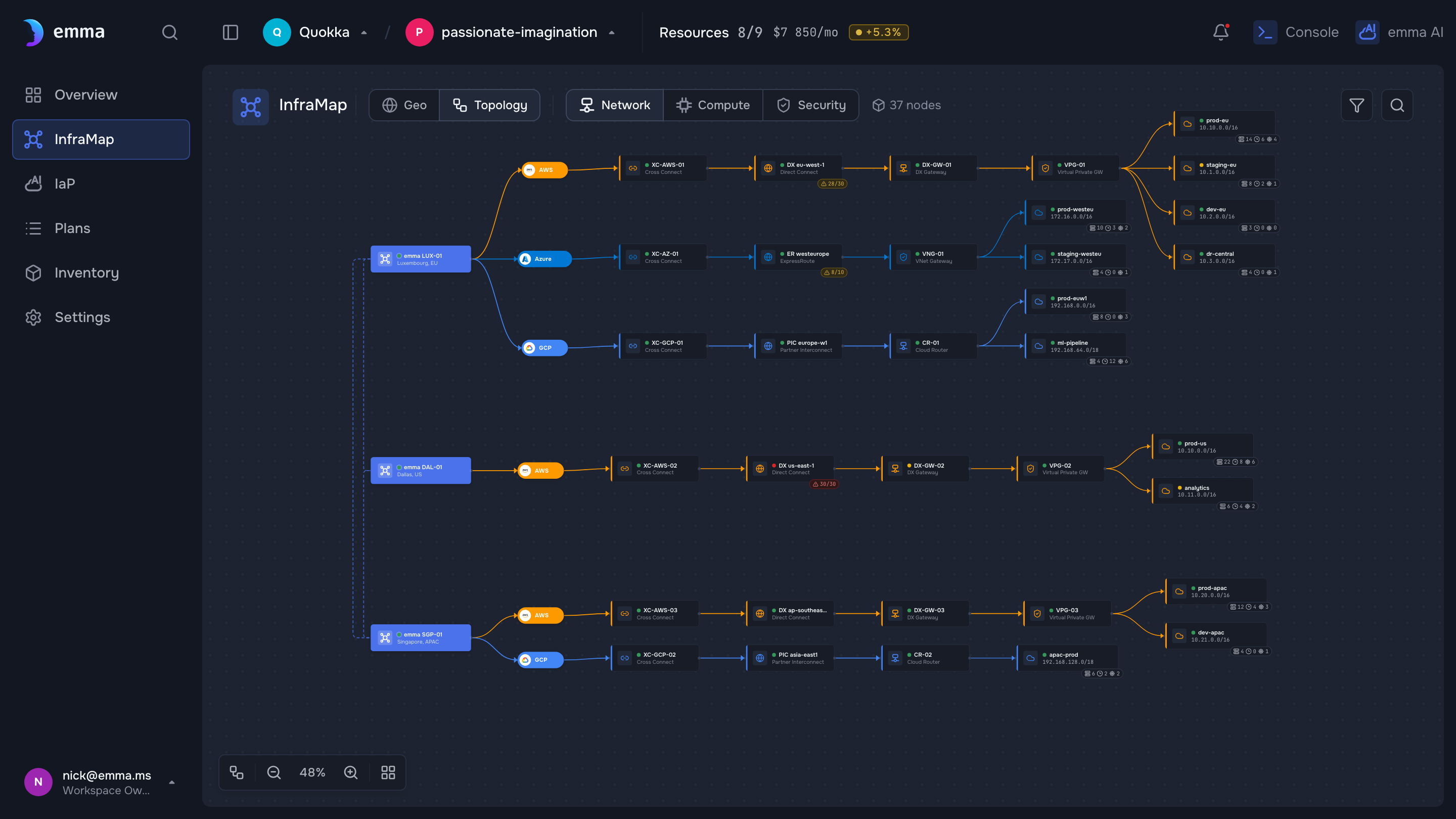
Illustrative — a design-system screen with demo data. Replace with a real (sanitized) capture before publishing.
What's next
- Quickstart — watch the diagram populate as you deploy
- The copilot — the conversation that drives it
- Import existing infrastructure — get your current resources onto the diagram
Last updated on 17 Jul 2026