
Project ServicesExternal Services
Azure External Services Description
Overview
On this page you can read the description of the External Service, see service cost and connect to it.
Page description
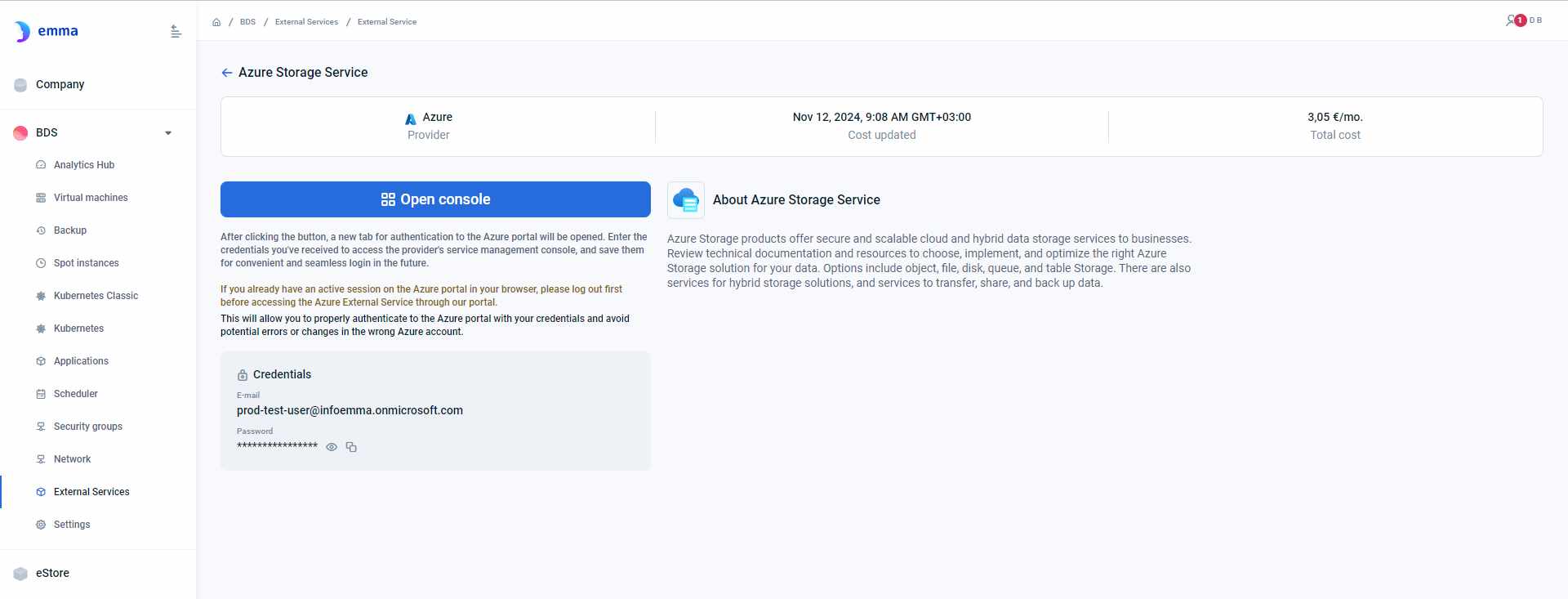
This page provides a description of the External Service and the option to connect to it with dedicated credentials, if required.
- General information about the cost and the time of its update.
- "Open console" button for accessing the cloud provider's interface.
- Credentials required for connection (optional). You can save them in your browser for convenient and seamless login in the future.
Actions you can perform on this page
- "Open console" button: By clicking this button, you will be redirected to the External Service page in the cloud provider interface, then you can manage the External Service. Please remember that if you already have an active session on the cloud provider portal in your browser, please log out first before accessing the External Service through our portal. This will allow you to properly authenticate to the cloud provider portal with your credentials and avoid potential errors or changes in the wrong account.
How is this guide?
Last updated on 1 Aug 2026