
Manage Company Settings
Overview
Page navigation — You can get to this page by clicking on “Company” and then on “Settings” below it.
This page shows details of the company which were captured during emma platform registration. You can find the following details depending on your assigned company permission level. You can view your company contact info and registration info in the first two sections of this page. The address details about the company can be found in the third section under “Official address”.
This page is not always at this stage, it's empty and ready to be completed at first. It becomes like below image after the initial completing. After the initial completing, further changes of data shown here are allowed only via contacting support at [email protected]
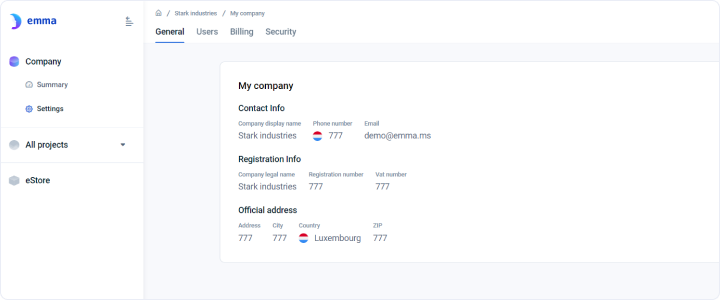
All Company settings
Last updated on 1 Aug 2026