
My Company
Manage Resource Tags
Overview
This page provides info about the tag keys and actions that can be performed with them such as adding, editing, and deleting. VM tag refers to metadata attached to virtual machines, it is a tool “key-value” pairs that you can assign to Virtual machines (and other cloud resources) for managing virtual machines in a structured and efficient manner. They provide enhanced capabilities for organizing, automating, and controlling your cloud environment, making it easier to manage resources and costs.
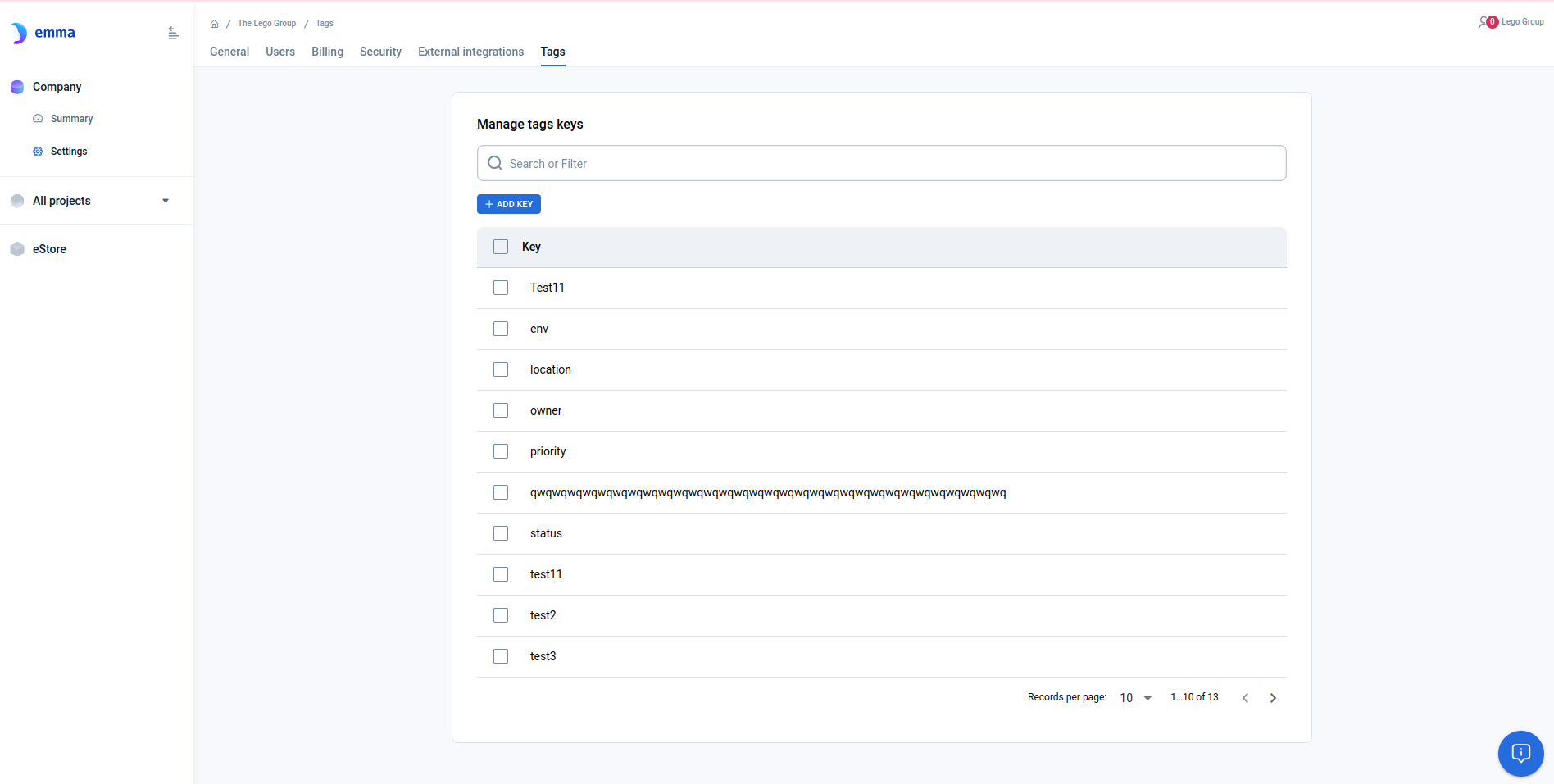
Page description
This page gives all the detailed information about all tag keys in the Company.
- Search bar - to filter keys by the name
- “+Add Key” button - to create a new tag key
- The list of keys with the number of records - if there are existing key tags
- “Edit” key button - to change the key name
- “Delete” key button - to delete keys
Actions you can perform on this page
On this page, you can perform actions using buttons or the "Ellipsis" menu.
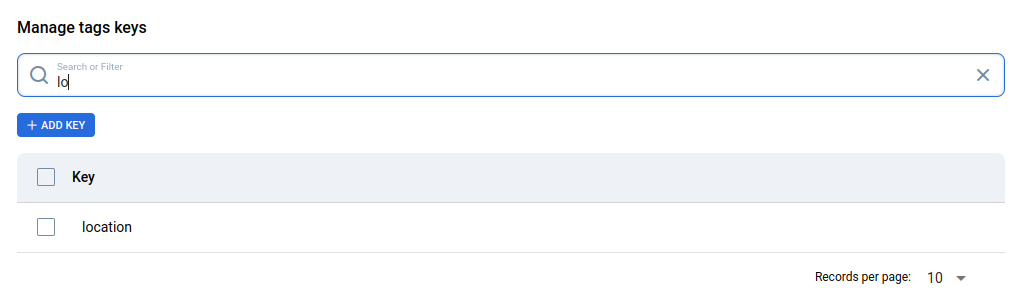
- Search by key name: Click on the “Search” bar and start to enter chars. The list of keys will be filtered by their names.
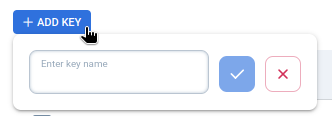
- Add key: Click the "+ Add Key" button and enter a key name in the "Enter a key name" field.
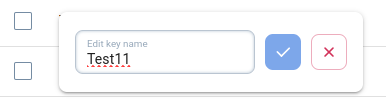
- Change key name: Click the “edit” icon and enter a new name in the “Change tag’s key“ popup. Notice it will be changed on all assigned tags.

- Sort the list by key name: By clicking on the “arrow” on the right.

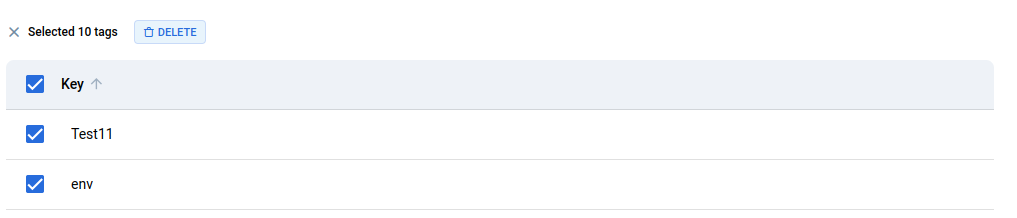
- Delete one or several keys from the list: Select the checkboxes of keys that you do not need, click on the “delete” icon, and confirm in the “Delete tag“ window. Notice that assigned tags with this key will disappear, too.
How is this guide?
Last updated on 1 Aug 2026