
Project limits - Providers
Overview
The "Providers" tab in the "Project limits" allows you to manage cloud provider access and their corresponding locations for deploying virtual machines, spot instances, application nodes, or Kubernetes cluster nodes within your project. These limits also apply to actions related to virtual machines, such as transfer and cloning.
Each cloud provider (e.g., AWS, Azure, Digital Ocean, Gcore, GCP, OVHcloud, IONOS) has a unique list of allowed regions. By configuring these limits, you ensure that only approved providers and locations can be used for creating compute instances, helping to maintain compliance, optimize costs, and improve security.
When you disable a provider or location, they are removed from the selection options in the relevant screens, such as the virtual machine creation or transfer forms.
At least one provider (AWS, GCP or Azure) should be allowed.
At least one location in North America and one location in Europe (excluding Darmstadt and Luxembourg) must be selected for GCP, Azure or AWS.
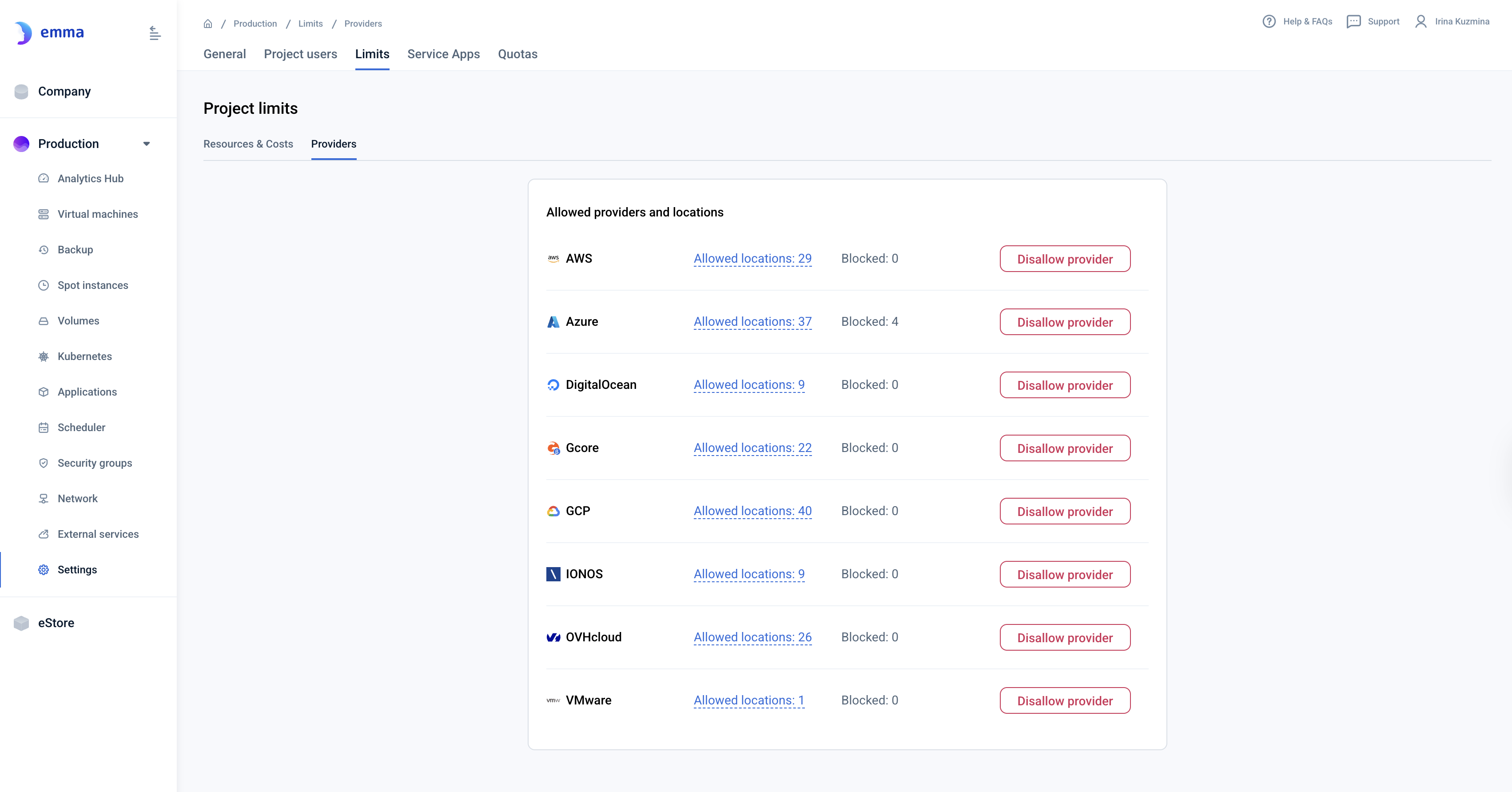
Actions you can perform on this page
View allowed providers and locations For each provider, you can see the number of allowed locations. Clicking on the "Allowed locations" link lets you view and manage the specific regions where compute instances can be created, transferred, or cloned.
Allow or block a cloud provider You can block any cloud provider by clicking the "Disallow provider" button next to the provider’s name. Blocking a provider prevents any new compute instance actions (creation, transfer, or cloning) from using that provider.
Allow or block specific locations For each provider, you can manage the allowed locations by accessing the detailed list of regions. You can allow or block specific regions where compute instances are permitted to operate, ensuring that deployments align with your organization’s needs and policies.
Last updated on 1 Aug 2026