
Project Users
Overview
Project owners can use this page to search and manage all the users in the project. They can change the roles of the users, add new users and assign preexisting roles.
Table report on the page
Where can I manage all the users in my project? - FAQ
Page navigation — Click on “All Projects“ and navigate to your project. You will be, by default on the project “Summary“ link in the left sidebar. Click on the “Settings” link in the sidebar on the left. You will be navigated to the “General” tab by default. Click on the “Project users” tab.
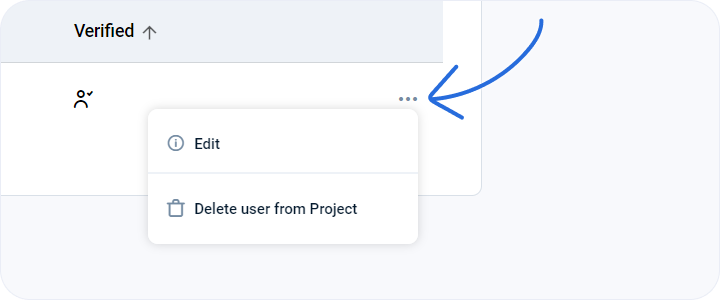
You will be able to see a searchable table of all the users in your project on this page. This table informs users about the name, email and project role of the user. The “Verified” column indicates whether the user has completed the emma registration or not. You can also see an ellipsis (…) at the end of each row.
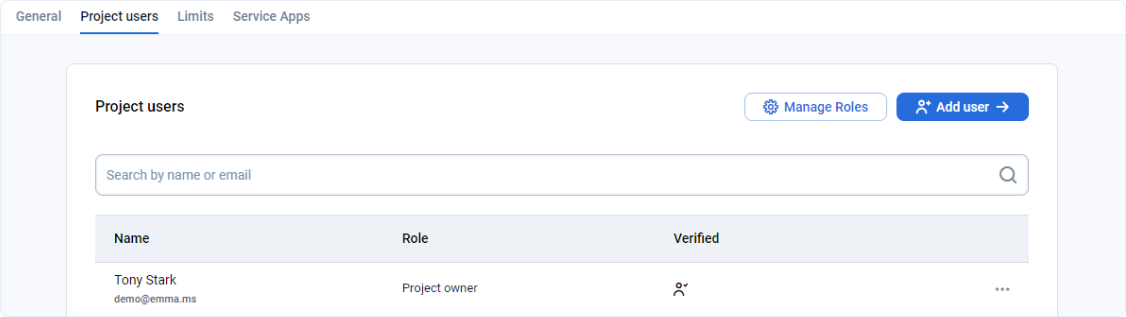
Actions you can perform from this page
How can I change the role of a user or delete a user from my project? - FAQ
Page navigation — Click on “All Projects“ and navigate to your project. You will be, by default on the project “Summary“ link in the left sidebar. Click on the “Settings” link in the sidebar on the left. You will be navigated to the “General” tab by default. Click on the “Project users” tab.
How can I add users to my project? - FAQ
Page navigation — Click on “All Projects“ and navigate to your project. You will be, by default on the project “Summary“ link in the left sidebar. Click on the “Settings” link in the sidebar on the left. You will be navigated to the “General” tab by default. Click on the “Project users” tab.
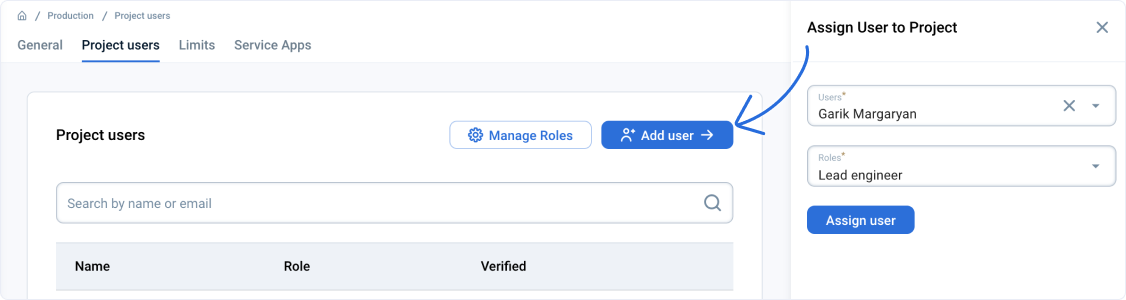
On this page, you can click + ADD USERS button. A sidebar will open up on the right. You can add users and assign them project roles.
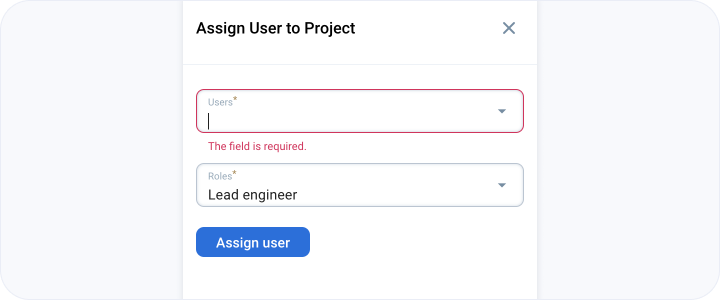
The users and project roles need to be pre-defined. Users and project roles can be added to the company through “Company user settings”.
Last updated on 1 Aug 2026