
Project ServicesDirect connect network
Subnet / Instances tab
Overview
The Instances tab shows all compute instances deployed within the selected subnet and project. Use it to see which workloads are running inside the subnet and their network addresses.
Content on this page
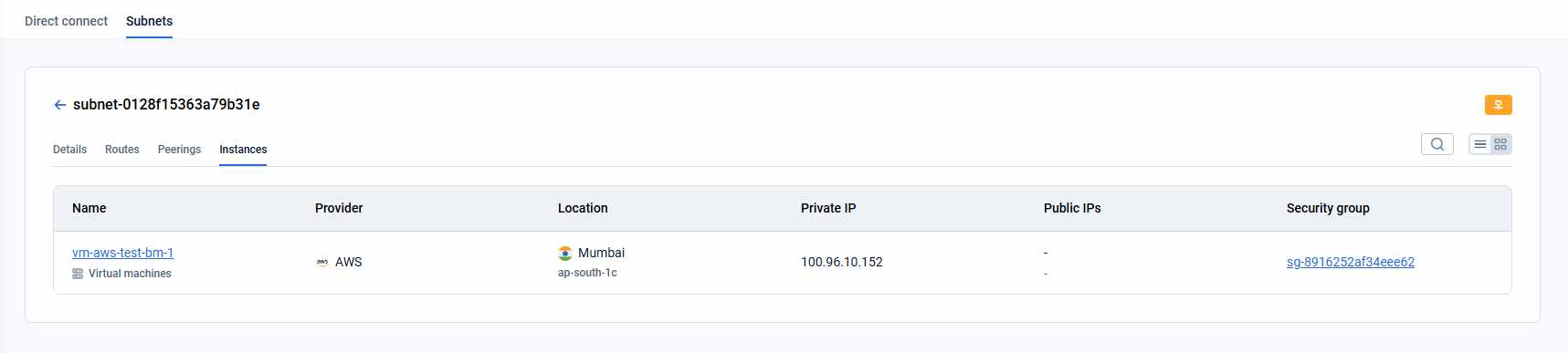
Each instance entry shows:
- Name — instance name.
- Provider — provider name.
- Location — data center and availability zone where the instance is deployed.
- Private IP — internal IP address within the subnet.
- Public IPs — external IPv4 and/or IPv6 addresses (if assigned).
- Security group — identifier of the attached security group.
How is this guide?
Last updated on 1 Aug 2026