
Project ServicesDirect connect network
Subnet / Peerings tab
Overview
The Peerings tab lists all VPC peering connections for the selected subnet (both ingoing and outgoing). Use it to see which remote VPCs are connected and what IP ranges they expose.
Content on this page
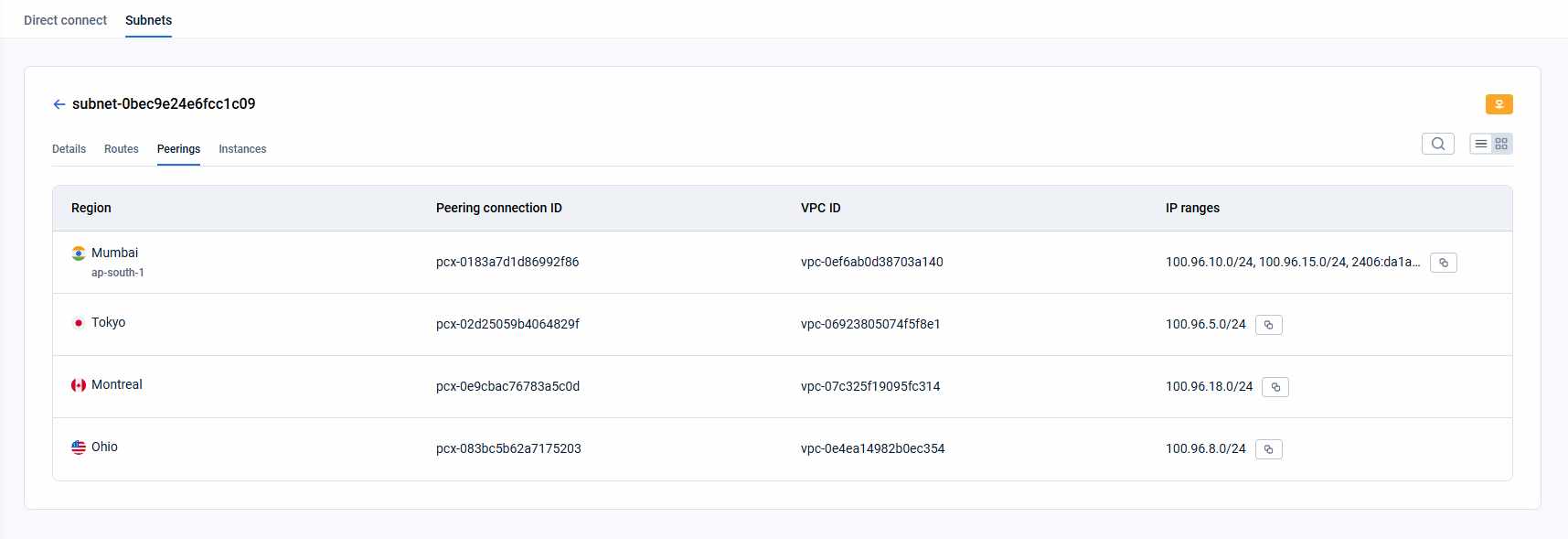
At the top of the tab, the Peering connections for VPC header shows the local VPC ID.
Each peering entry shows:
- Location — city and region of the remote VPC (e.g., Frankfurt, eu-central-1).
- Peering connection ID — cloud provider identifier of the peering connection.
- VPC ID — identifier of the remote (peered) VPC.
- IP ranges — CIDR blocks of the remote VPC. Hover over the field to see all ranges in a tooltip; click the copy icon to copy them.
How is this guide?
Last updated on 1 Aug 2026