
My CompanyManage Project Group
Connect providers
Overview
Page navigation — Open a Project group, then click Manage providers.
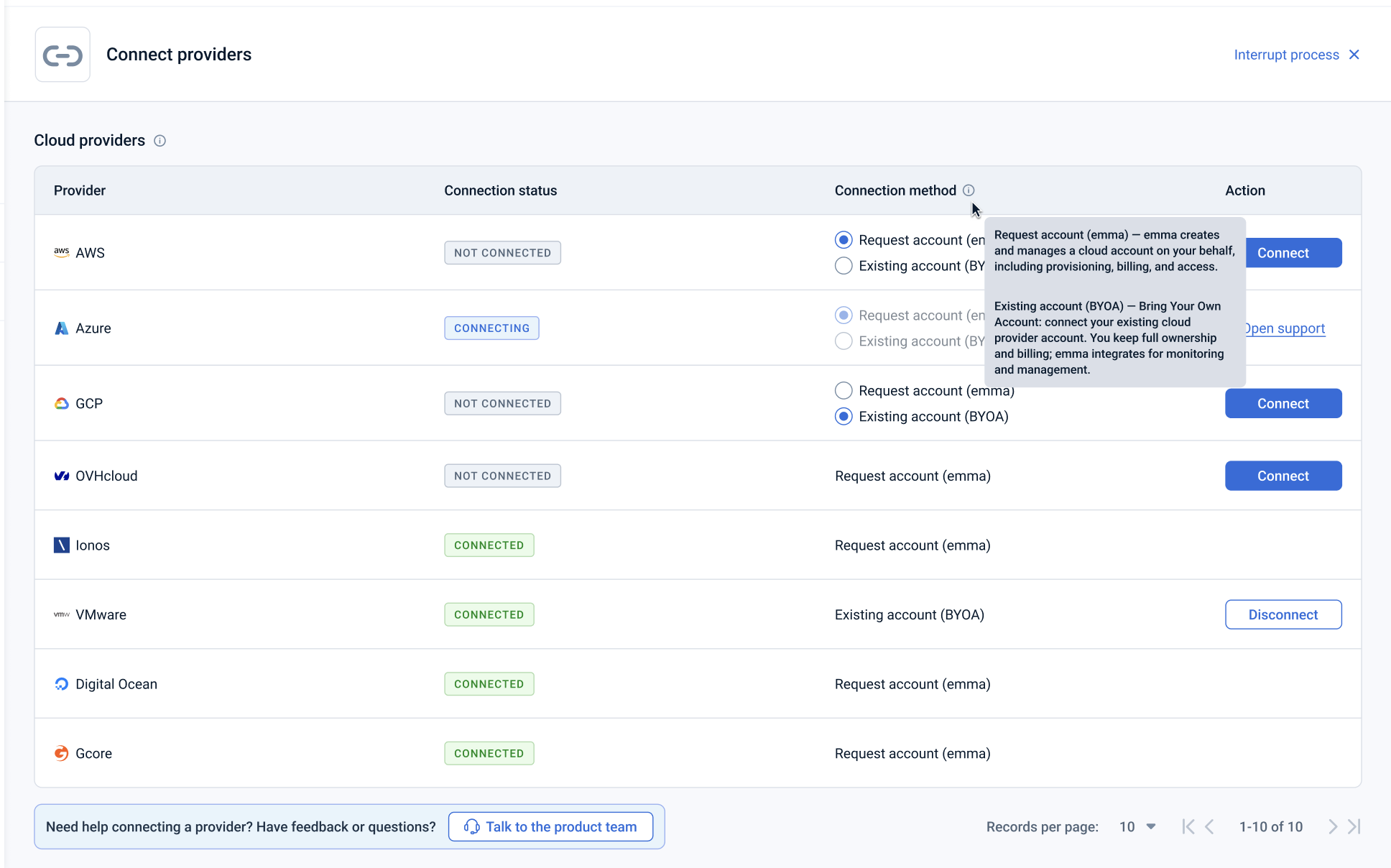
This page lets you connect cloud providers to a Project group and review the status of each connection.
For each provider, you can see:
- Provider – the cloud provider (AWS, Azure, GCP, OVHcloud, Ionos, VMware, Digital Ocean, Gcore, etc.).
- Connection status – the current state of the connection:
Not connected – the provider isn't connected to this Project group. Connecting – a connection request is being processed (a support ticket for a requested emma account, or credential validation for BYOA). Connected – the provider is successfully connected and ready to use.
- Connection method – how the account will be (or is) connected:Request account (emma) – emma creates and manages a cloud account on your behalf, including provisioning, billing, and access. Existing account (BYOA) – Bring Your Own Account: connect your existing cloud provider account. You keep full ownership and billing; emma integrates for monitoring and management.
Note: BYOA isn't available for every provider. If you don't see the BYOA option for the provider you want to connect, contact support.
Actions you can perform on this page
From the Connect providers page, you can:
- Choose a connection method – for providers that support both options, select either Request account (emma) or Existing account (BYOA) before connecting.
- Connect a provider – click Connect to start the connection. Depending on the method selected, this either opens a form to enter your existing cloud credentials (BYOA) or submits a request for emma to provision the account on your behalf.
- Disconnect a provider (coming soon) – remove a connected provider account and clean up its emma-managed resources. This action is not yet available; providers are currently disconnected via support request.
How is this guide?
Last updated on 1 Aug 2026